Watch list
Login
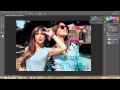
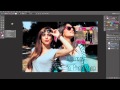
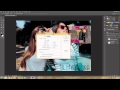
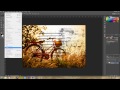
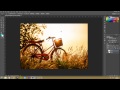
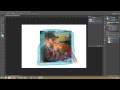
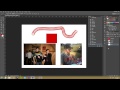
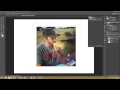
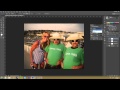
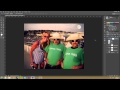
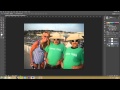
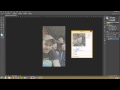
Photoshop CS6 Tutorial - 65 - Why Snapshots are Awesome
2014-08-15 03:57:39 on
thenewboston
in playlist:
Photoshop CS6
3:49
Photoshop CS6 Tutorial - 1 - Introduction
thenewboston
6:4
Photoshop CS6 Tutorial - 2 - System Requirements
thenewboston
7:7
Photoshop CS6 Tutorial - 3 - Overview of the Workspace
thenewboston
5:33
Photoshop CS6 Tutorial - 4 - Working with Panels
thenewboston
7:12
Photoshop CS6 Tutorial - 5 - Working with the Tools Panel
thenewboston
7:34
Photoshop CS6 Tutorial - 6 - More about Tools
thenewboston
6:2
Photoshop CS6 Tutorial - 7 - Creating a New Document Part 1
thenewboston
6:21
Photoshop CS6 Tutorial - 8 - Creating a New Document Part 2
thenewboston
6:13
Photoshop CS6 Tutorial - 9 - Inserting Images
thenewboston
6:57
Photoshop CS6 Tutorial - 10 - How to Import Camera Raw Files
thenewboston
7:22
Photoshop CS6 Tutorial - 11 - Smart Objects
thenewboston
8:47
Photoshop CS6 Tutorial - 12 - Adjusting Image and Canvas Size
thenewboston
6:54
Photoshop CS6 Tutorial - 13 - Saving Your Project
thenewboston
6:29
Photoshop CS6 Tutorial - 14 - WTF is the Status Bar?
thenewboston
5:39
Photoshop CS6 Tutorial - 15 - How to use the Navigator Panel
thenewboston
5:34
Photoshop CS6 Tutorial - 16 - Using the Zoom Tool
thenewboston
6:42
Photoshop CS6 Tutorial - 17 - Working with Multiple Documents
thenewboston
3:48
Photoshop CS6 Tutorial - 18 - Writing Notes
thenewboston
8:5
Photoshop CS6 Tutorial - 19 - The Info Panel
thenewboston
9:0
Photoshop CS6 Tutorial - 20 - General Preferences Overview
thenewboston
6:24
Photoshop CS6 Tutorial - 21 - Using the Ruler and Guides
thenewboston
10:36
Photoshop CS6 Tutorial - 22 - Your Interface Settings
thenewboston
7:21
Photoshop CS6 Tutorial - 23 - Rulers, Units, and Other Stuff
thenewboston
5:30
Photoshop CS6 Tutorial - 24 - Guides, Grids, and More
thenewboston
8:13
Photoshop CS6 Tutorial - 25 - How to Increase Performance
thenewboston
5:51
Photoshop CS6 Tutorial - 26 - How to Add and Organize Brushes
thenewboston
5:33
Photoshop CS6 Tutorial - 27 - More Crap about Brushes
thenewboston
3:43
Photoshop CS6 Tutorial - 28 - How to Create Your Own Presets
thenewboston
5:26
Photoshop CS6 Tutorial - 29 - Creating Your Own Workspace
thenewboston
4:4
Photoshop CS6 Tutorial - 30 - Customizing User Interface
thenewboston
9:36
Photoshop CS6 Tutorial - 31 - Using the Marquee Selection Tool
thenewboston
3:58
Photoshop CS6 Tutorial - 32 - Single Row Marquee Tool
thenewboston
5:47
Photoshop CS6 Tutorial - 33 - Lasso Tool
thenewboston
6:41
Photoshop CS6 Tutorial - 34 - Quick Selection Tool
thenewboston
5:38
Photoshop CS6 Tutorial - 35 - Magic Wand Tool
thenewboston
8:26
Photoshop CS6 Tutorial - 36 - Select by Color Range
thenewboston
9:8
Photoshop CS6 Tutorial - 37 - Fine Tuning Your Selection Edges
thenewboston
9:50
Photoshop CS6 Tutorial - 38 - How to Edit Your Selection
thenewboston
4:49
Photoshop CS6 Tutorial - 39 - Best Copy and Pasting Techniques
thenewboston
7:52
Photoshop CS6 Tutorial - 40 - Free Transform
thenewboston
11:14
Photoshop CS6 Tutorial - 41 - How to Crop Images
thenewboston
6:45
Photoshop CS6 Tutorial - 42 - Perspective Crop Tool
thenewboston
8:26
Photoshop CS6 Tutorial - 43 - Advanced Scaling Techniques
thenewboston
8:57
Photoshop CS6 Tutorial - 44 - Cleaning Up Dirt and Scratches
thenewboston
4:2
Photoshop CS6 Tutorial - 45 - Content Aware
thenewboston
7:29
Photoshop CS6 Tutorial - 46 - Intro to the Layers Panel
thenewboston
5:21
Photoshop CS6 Tutorial - 47 - Types of Layers
thenewboston
8:14
Photoshop CS6 Tutorial - 48 - Working with Layers
thenewboston
9:27
Photoshop CS6 Tutorial - 49 - Selecting and Grouping Layers
thenewboston
4:9
Photoshop CS6 Tutorial - 50 - Creating a Selection from a Layer
thenewboston
6:16
Photoshop CS6 Tutorial - 51 - Creating a Layer from a Selection
thenewboston
2:51
Photoshop CS6 Tutorial - 52 - How to Turn the Background into a Layer
thenewboston
3:4
Photoshop CS6 Tutorial - 53 - Learn how to Flatten Images
thenewboston
6:31
Photoshop CS6 Tutorial - 54 - How to Easily Combine Layers
thenewboston
3:57
Photoshop CS6 Tutorial - 55 - Linking Layers like a Pro
thenewboston
7:31
Photoshop CS6 Tutorial - 56 - Blending Modes Part 1
thenewboston
4:47
Photoshop CS6 Tutorial - 57 - Blending Modes Part 2
thenewboston
8:15
Photoshop CS6 Tutorial - 58 - Blending Modes Part 3
thenewboston
5:31
Photoshop CS6 Tutorial - 59 - Blending Modes Part 4
thenewboston
2:29
Photoshop CS6 Tutorial - 60 - How to Adjust Layer Opacity
thenewboston
2:56
Photoshop CS6 Tutorial - 61 - Copying and Deleting Layers
thenewboston
2:44
Photoshop CS6 Tutorial - 62 - Moving Layers Between Documents
thenewboston
4:55
Photoshop CS6 Tutorial - 63 - What are layer comps?
thenewboston
6:22
Photoshop CS6 Tutorial - 64 - History Panel
thenewboston
5:5
Photoshop CS6 Tutorial - 65 - Why Snapshots are Awesome
thenewboston
5:39
Photoshop CS6 Tutorial - 66 - Linear vs. Non-linear
thenewboston
6:45
Photoshop CS6 Tutorial - 67 - How to use the History Brush
thenewboston
9:11
Photoshop CS6 Tutorial - 68 - How to use the Art History Brush
thenewboston
7:36
Photoshop CS6 Tutorial - 69 - Creating History State Files
thenewboston
6:1
Photoshop CS6 Tutorial - 70 - Intro to Adjustment Layers
thenewboston
5:24
Photoshop CS6 Tutorial - 71 - How to Merge Adjustment Layers
thenewboston
3:48
Photoshop CS6 Tutorial - 72 - Composite Images from Adjustment
thenewboston
3:47
Photoshop CS6 Tutorial - 73 - Adjustments on Just One Layer
thenewboston
5:52
Photoshop CS6 Tutorial - 74 - Bologna
thenewboston
5:58
Photoshop CS6 Tutorial - 75 - Adjustment on Part of Your Image
thenewboston
5:15
Photoshop CS6 Tutorial - 76 - Adding a Mask to Adjustment Layers
thenewboston
6:10
Photoshop CS6 Tutorial - 77 - Using the Noise Filter
thenewboston
8:2
Photoshop CS6 Tutorial - 78 - Reduce Noise Filter
thenewboston
8:54
Photoshop CS6 Tutorial - 79 - Box Surface and Shape Blurs
thenewboston
6:4
Photoshop CS6 Tutorial - 80 - Gaussian Blur
thenewboston
4:20
Photoshop CS6 Tutorial - 81 - Despeckle
thenewboston
4:53
Photoshop CS6 Tutorial - 82 - Unsharp Mask
thenewboston
8:12
Photoshop CS6 Tutorial - 83 - Smart Sharpen
thenewboston
7:11
Photoshop CS6 Tutorial - 84 - Sharpen, Blur, and Smudge Tools
thenewboston
9:34
Photoshop CS6 Tutorial - 85 - Clone Stamp Tool
thenewboston
6:37
Photoshop CS6 Tutorial - 86 - Burn and Dodge
thenewboston
6:13
Photoshop CS6 Tutorial - 87 - Color Correction using Levels
thenewboston
5:32
Photoshop CS6 Tutorial - 88 - Intro to Color Channels
thenewboston
5:47
Photoshop CS6 Tutorial - 89 - RGB Color Mode
thenewboston
6:50
Photoshop CS6 Tutorial - 90 - CMYK Color Mode
thenewboston
5:26
Photoshop CS6 Tutorial - 91 - Grayscale Color Mode
thenewboston
6:48
Photoshop CS6 Tutorial - 92 - Bitmap Color Mode
thenewboston
7:6
Photoshop CS6 Tutorial - 93 - Indexed Color mode
thenewboston
5:22
Photoshop CS6 Tutorial - 94 - Lab Color Mode
thenewboston
6:2
Photoshop CS6 Tutorial - 95 - Duotone Mode
thenewboston
5:6
Photoshop CS6 Tutorial - 96 - Multichannel Mode
thenewboston
6:54
Photoshop CS6 Tutorial - 97 - How to Replace Colors
thenewboston
7:23
Photoshop CS6 Tutorial - 98 - Color Panel
thenewboston
6:36
Photoshop CS6 Tutorial - 99 - Swatches
thenewboston
5:33
Photoshop CS6 Tutorial - 100 - Fill and Stroke
thenewboston
10:9
Photoshop CS6 Tutorial - 101 - Retouching with the Healing Brush
thenewboston
7:14
Photoshop CS6 Tutorial - 102 - More Retouching Techniques
thenewboston
2:34
Photoshop CS6 Tutorial - 103 - How to Remove Red Eye
thenewboston
6:16
Photoshop CS6 Tutorial - 104 - Creating Spot Channels for Print
thenewboston
6:32
Photoshop CS6 Tutorial - 105 - Tone and Color
thenewboston
13:33
Photoshop CS6 Tutorial - 106 - Levels
thenewboston
8:48
Photoshop CS6 Tutorial - 107 - Exposure
thenewboston
13:56
Photoshop CS6 Tutorial - 108 - Curves
thenewboston
5:16
Photoshop CS6 Tutorial - 109 - Color Balance
thenewboston
5:27
Photoshop CS6 Tutorial - 110 - Brightness and Contrast
thenewboston
5:53
Photoshop CS6 Tutorial - 111 - Hue and Saturation
thenewboston
3:50
Photoshop CS6 Tutorial - 112 - Vibrance
thenewboston
4:35
Photoshop CS6 Tutorial - 113 - Selective Color Adjustments
thenewboston
4:55
Photoshop CS6 Tutorial - 114 - Channel Mixer
thenewboston
3:42
Photoshop CS6 Tutorial - 115 - Gradient Map Adjustment
thenewboston
3:23
Photoshop CS6 Tutorial - 116 - Adding Photo Adjustments
thenewboston
8:23
Photoshop CS6 Tutorial - 117 - Invert Adjustment
thenewboston
2:3
Photoshop CS6 Tutorial - 118 - How to use Equalize
thenewboston
9:22
Photoshop CS6 Tutorial - 119 - Layered Effects Using Threshold
thenewboston
6:19
Photoshop CS6 Tutorial - 120 - Sweet Effects with Posterize
thenewboston
8:8
Photoshop CS6 Tutorial - 121 - Shadows and Highlights Adjustment
thenewboston
3:36
Photoshop CS6 Tutorial - 122 - Black and White Adjustment
thenewboston
8:5
Photoshop CS6 Tutorial - 123 - Mixer Brush Tool
thenewboston
2:50
Photoshop CS6 Tutorial - 124 - Pencil Tool
thenewboston
6:22
Photoshop CS6 Tutorial - 125 - The Line Tool
thenewboston
5:30
Photoshop CS6 Tutorial - 126 - The Shape Tool
thenewboston
6:27
Photoshop CS6 Tutorial - 127 - Custom Shape Tool
thenewboston
7:20
Photoshop CS6 Tutorial - 128 - What are Shape Layers?
thenewboston
6:23
Photoshop CS6 Tutorial - 129 - How to Arrange Shapes
thenewboston
2:30
Photoshop CS6 Tutorial - 130 - How to Create Custom Shapes
thenewboston
5:34
Photoshop CS6 Tutorial - 131 - Pro Paint Bucket Techniques
thenewboston
6:7
Photoshop CS6 Tutorial - 132 - The Eraser Tool
thenewboston
9:5
Photoshop CS6 Tutorial - 133 - Background Eraser Tool
thenewboston
4:22
Photoshop CS6 Tutorial - 134 - Magic Eraser Tool
thenewboston
6:58
Photoshop CS6 Tutorial - 135 - Dem Gradients Doe
thenewboston
7:10
Photoshop CS6 Tutorial - 136 - Creating Custom Gradients
thenewboston
6:20
Photoshop CS6 Tutorial - 137 - Color Replacement Tool
thenewboston
8:53
Photoshop CS6 Tutorial - 138 - Layer Masks
thenewboston
4:7
Photoshop CS6 Tutorial - 139 - Complex Mask Selections
thenewboston
3:15
Photoshop CS6 Tutorial - 140 - How to Soften a Layer Mask
thenewboston
4:1
Photoshop CS6 Tutorial - 141 - Creating Custom Mask Effects
thenewboston
4:42
Photoshop CS6 Tutorial - 142 - Creating Vector Masks
thenewboston
4:12
Photoshop CS6 Tutorial - 143 - Modifying Your Vector Masks
thenewboston
4:3
Photoshop CS6 Tutorial - 144 - Creating Channel Masks
thenewboston
4:3
Photoshop CS6 Tutorial - 145 - Creating Channel Masks from Scratch
thenewboston
4:34
Photoshop CS6 Tutorial - 146 - Channel Mask Options
thenewboston
3:6
Photoshop CS6 Tutorial - 147 - Awesome Mask Tips
thenewboston
4:55
Photoshop CS6 Tutorial - 148 - Using Channel Masks
thenewboston
3:40
Photoshop CS6 Tutorial - 149 - Moving and Combining Channel Masks
thenewboston
3:34
Photoshop CS6 Tutorial - 150 - Quick Masks
thenewboston
3:29
Photoshop CS6 Tutorial - 151 - Quick Mask Options
thenewboston
3:40
Photoshop CS6 Tutorial - 152 - Editing Selections in Quick Mask Mode
thenewboston
6:18
Photoshop CS6 Tutorial - 153 - Raster vs Vector Images
thenewboston
5:2
Photoshop CS6 Tutorial - 154 - Converting Selection to Path
thenewboston
5:53
Photoshop CS6 Tutorial - 155 - Pen Tool
thenewboston
5:44
Photoshop CS6 Tutorial - 156 - Freeform Pen Tool
thenewboston
4:48
Photoshop CS6 Tutorial - 157 - Magnetic Freeform Pen Tool
thenewboston
3:18
Photoshop CS6 Tutorial - 158 - Adding and Deleting Anchor Points
thenewboston
3:11
Photoshop CS6 Tutorial - 159 - Edit Anchor Points
thenewboston
1:30
Photoshop CS6 Tutorial - 160 - Convert Point Tool
thenewboston
6:40
Photoshop CS6 Tutorial - 161 - Awesome Exporting Techniques
thenewboston
4:36
Photoshop CS6 Tutorial - 162 - Fill in Path
thenewboston
3:40
Photoshop CS6 Tutorial - 163 - Add Stroke to Path
thenewboston
1:36
Photoshop CS6 Tutorial - 164 - Shapes and Paths Tips
thenewboston
2:51
Photoshop CS6 Tutorial - 165 - Exporting Paths to Illustrator
thenewboston
2:39
Photoshop CS6 Tutorial - 166 - More on Exporting
thenewboston
4:1
Photoshop CS6 Tutorial - 167 - Intro to Layer Styles
thenewboston
6:21
Photoshop CS6 Tutorial - 168 - Drop Shadows
thenewboston
9:41
Photoshop CS6 Tutorial - 169 - Bevel and Emboss
thenewboston
1:48
Photoshop CS6 Tutorial - 170 - Color Overlay
thenewboston
3:41
Photoshop CS6 Tutorial - 171 - Stroke
thenewboston
2:33
Photoshop CS6 Tutorial - 172 - Pattern Overlay
thenewboston
6:25
Photoshop CS6 Tutorial - 173 - Outer Glow
thenewboston
3:52
Photoshop CS6 Tutorial - 174 - Cool Inner Shadow Techniques
thenewboston
4:51
Photoshop CS6 Tutorial - 175 - Inner Glow
thenewboston
3:20
Photoshop CS6 Tutorial - 176 - Satin
thenewboston
5:39
Photoshop CS6 Tutorial - 177 - Glass Like Text Effect
thenewboston
2:29
Photoshop CS6 Tutorial - 178 - Saving Layer Styles
thenewboston
9:21
Photoshop CS6 Tutorial - 179 - Text Tool Basics
thenewboston
10:3
Photoshop CS6 Tutorial - 180 - Fonts 101
thenewboston
6:18
Photoshop CS6 Tutorial - 181 - Paragraph Panel
thenewboston
4:56
Photoshop CS6 Tutorial - 182 - More on Paragraph Panel
thenewboston
4:53
Photoshop CS6 Tutorial - 183 - Anti Aliasing Font
thenewboston
3:41
Photoshop CS6 Tutorial - 184 - Warp Text
thenewboston
9:30
Photoshop CS6 Tutorial - 185 - Text Styles
thenewboston
3:32
Photoshop CS6 Tutorial - 186 - Spell Check
thenewboston
4:12
Photoshop CS6 Tutorial - 187 - Find and Replace Text
thenewboston
2:39
Photoshop CS6 Tutorial - 188 - Rasterize Type Layers
thenewboston
2:53
Photoshop CS6 Tutorial - 189 - Converting Type Layers
thenewboston
2:52
Photoshop CS6 Tutorial - 190 - Type to Shape Layers
thenewboston
4:52
Photoshop CS6 Tutorial - 191 - Type Masks
thenewboston
4:11
Photoshop CS6 Tutorial - 192 - Text Along a Path
thenewboston
2:59
Photoshop CS6 Tutorial - 193 - Filter Gallery
thenewboston
3:47
Photoshop CS6 Tutorial - 194 - Smart Filters
thenewboston
6:27
Photoshop CS6 Tutorial - 195 - Liquify
thenewboston
4:59
Photoshop CS6 Tutorial - 196 - Liquify Tool Options
thenewboston
3:16
Photoshop CS6 Tutorial - 197 - Liquify Mask Options
thenewboston
2:54
Photoshop CS6 Tutorial - 198 - Liquify Viewer Options
thenewboston
3:16
Photoshop CS6 Tutorial - 199 - Liquify Mesh
thenewboston
3:5
Photoshop CS6 Tutorial - 200 - Final Video
thenewboston
Page generated in - 0.03906 sec